

In addition to team-level inputs, Organization Admins can predefine weightings of targeted outcomes to create alignment across the organization.
Where to Find It
Navigate to: Organization Setup (top navigation) → Outcomes → Toggle to “Weightings”
How to Create Outcome Weightings
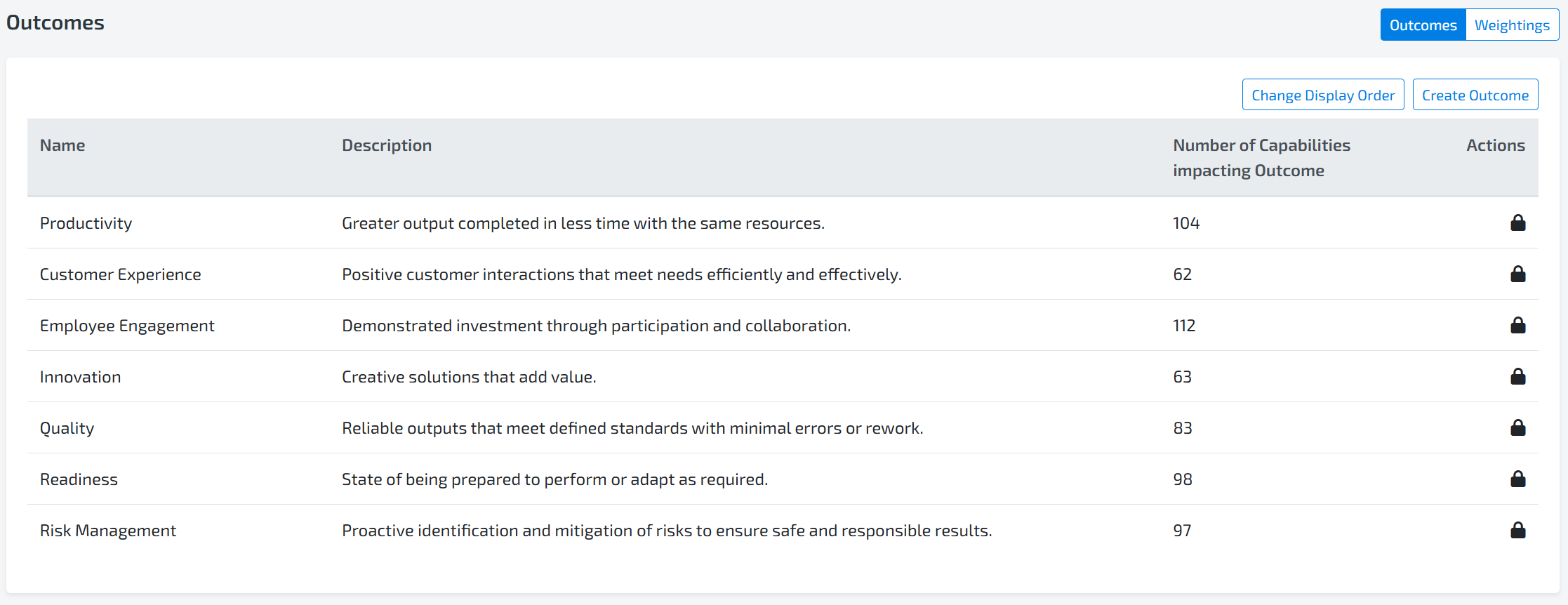
Toggle to Weightings in the top right
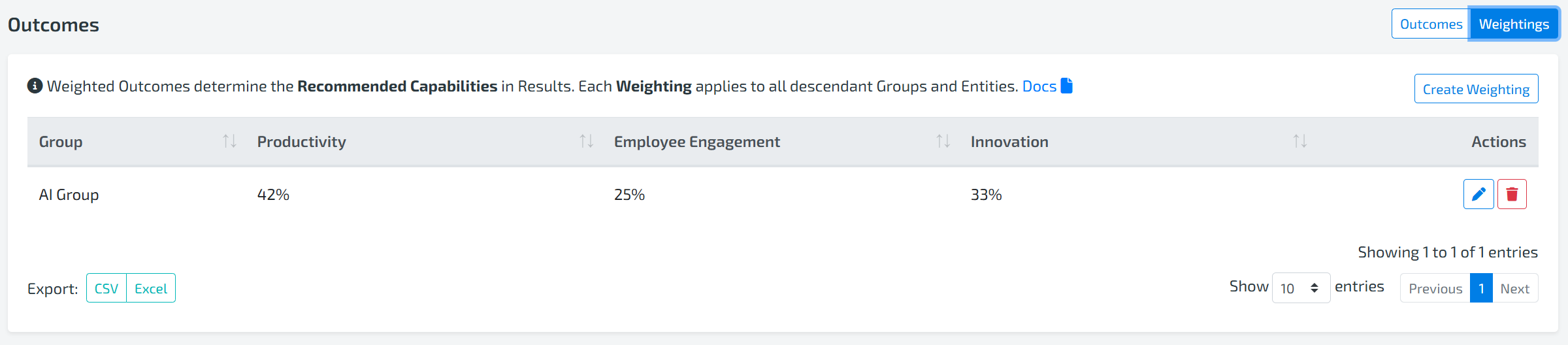
Click “Create Weighting”
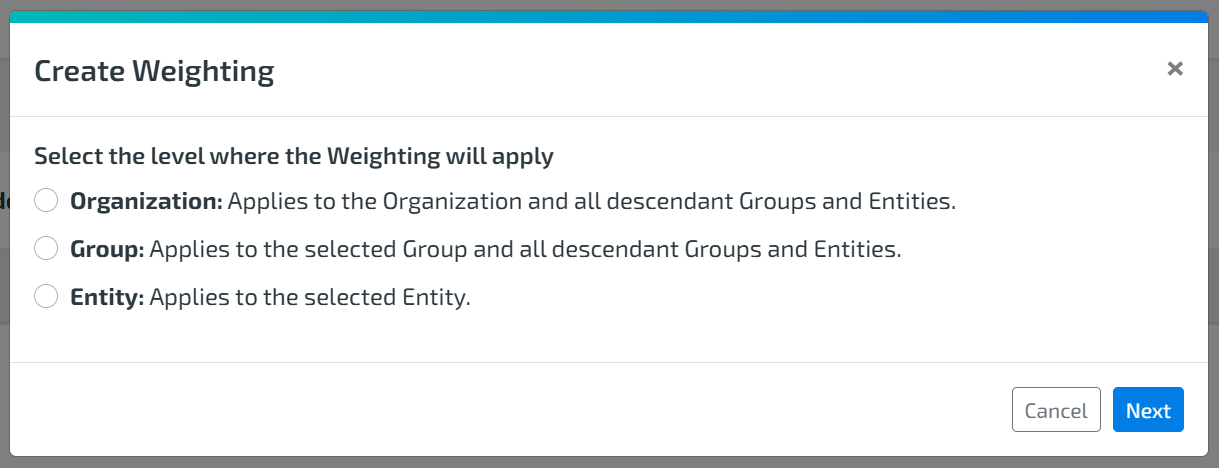
Select the Level
Choose where the weighting should apply:Organization → Applies to the entire organization and all descendants
Group → Applies to the selected group and all its descendants
Entity → Applies to a specific Entity
Select Group or Entity (if applicable)
Depending on your selection, choose the relevant group or entity, then click Next.
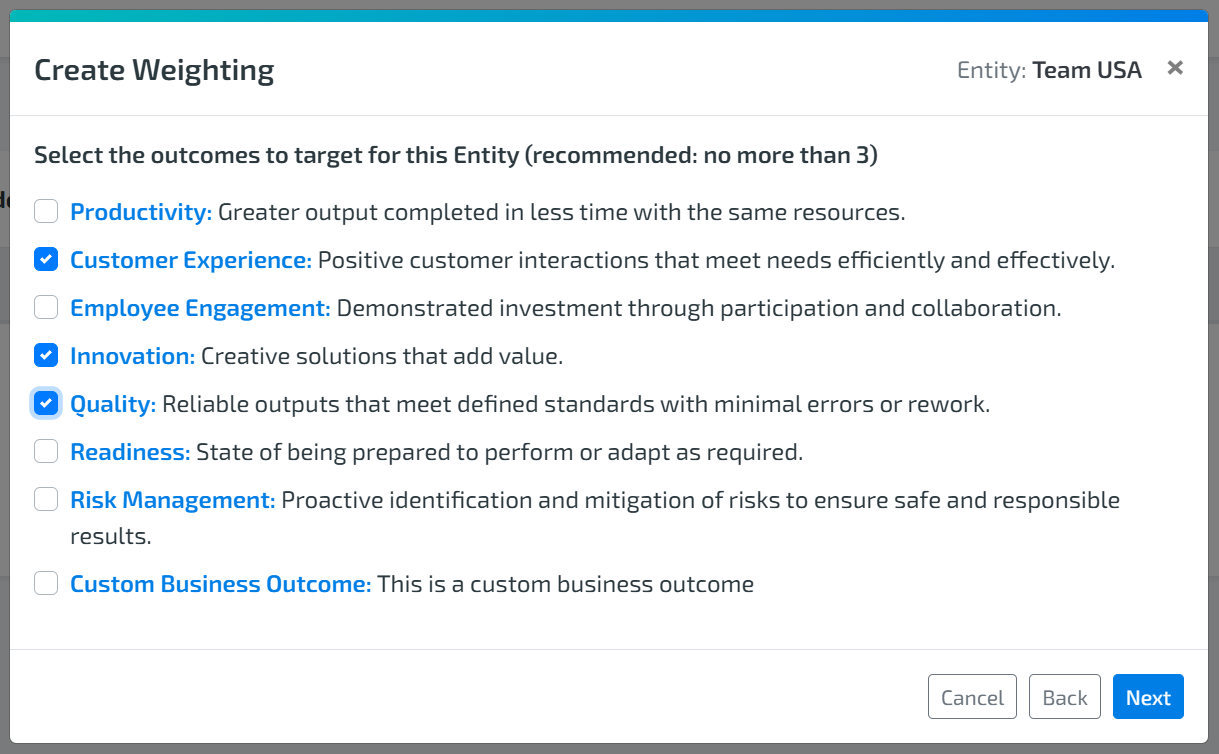
Select Target Outcomes
Choose the outcomes you want to prioritize, then click Next.
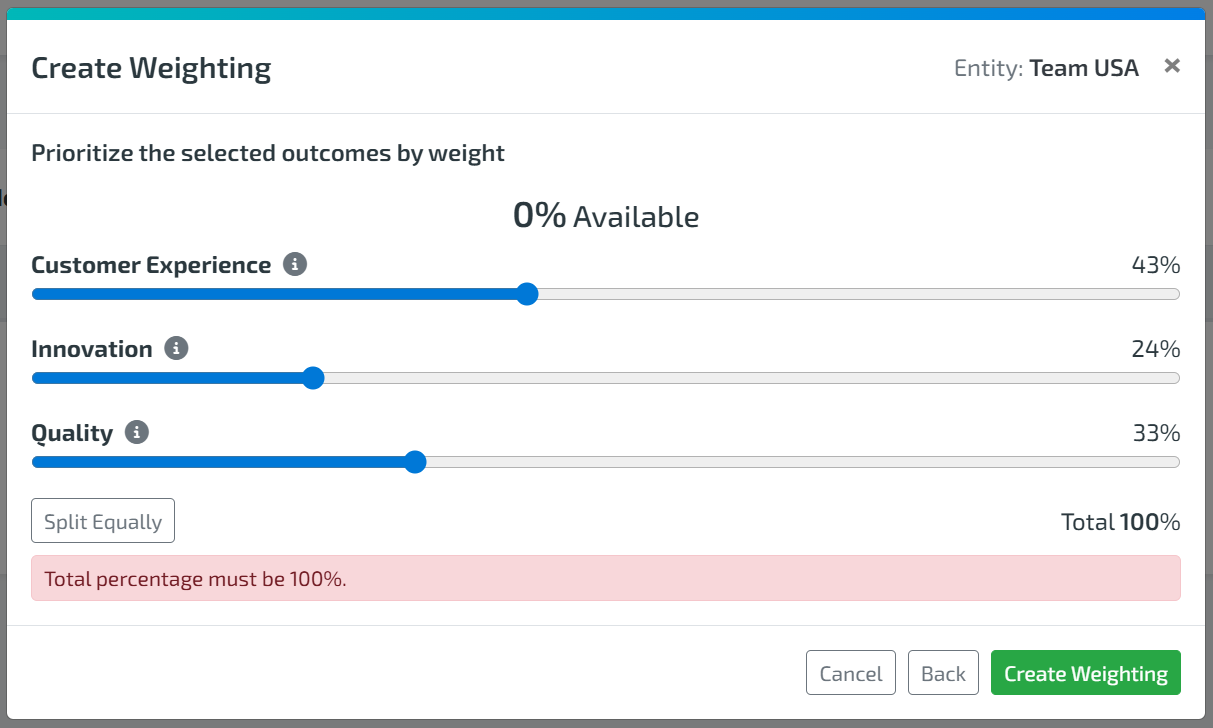
Assign Weightings
Distribute weights across selected outcomes
Ensure the total equals 100%
Click Create Weighting
How Weightings Are Applied
Once assessments are completed:
The predefined weightings are automatically applied based on the selected level
These weightings are reflected in Results → Insights Canvas -> Recommended Capabilities widget
They help prioritize recommendations based on what matters most
This ensures consistency, alignment, and a more strategic focus across teams.
the Recommended Capabilities Widget
Purpose
The Recommended Capabilities widget is your go-to source for actionable insights. It helps teams:
Identify areas for improvement
Focus on capabilities that drive outcomes
Continuously evolve in a structured way
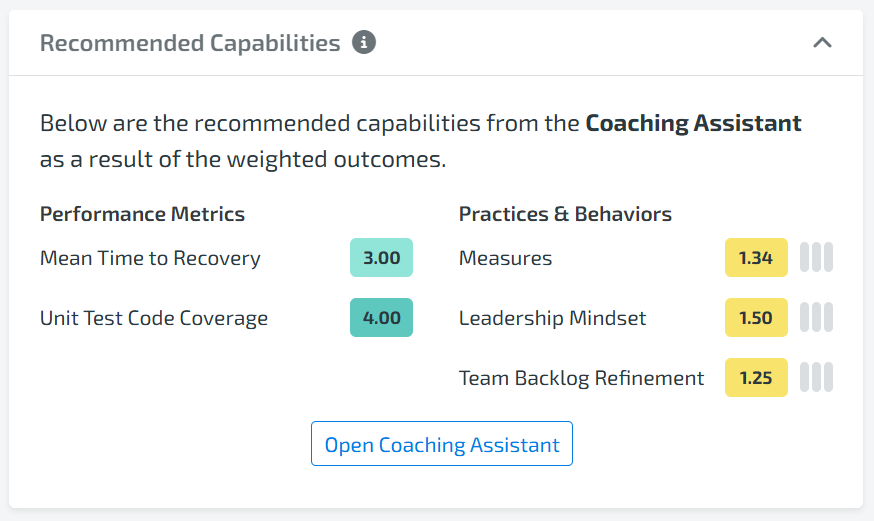
Based on assessment data and applied weightings, the widget displays:
Recommended capabilities (practice areas)
A structured view that may include:
Performance Metrics
Practices & Behaviors
This split view makes it easier to:
Prioritize effectively
Understand where to focus
Take targeted action
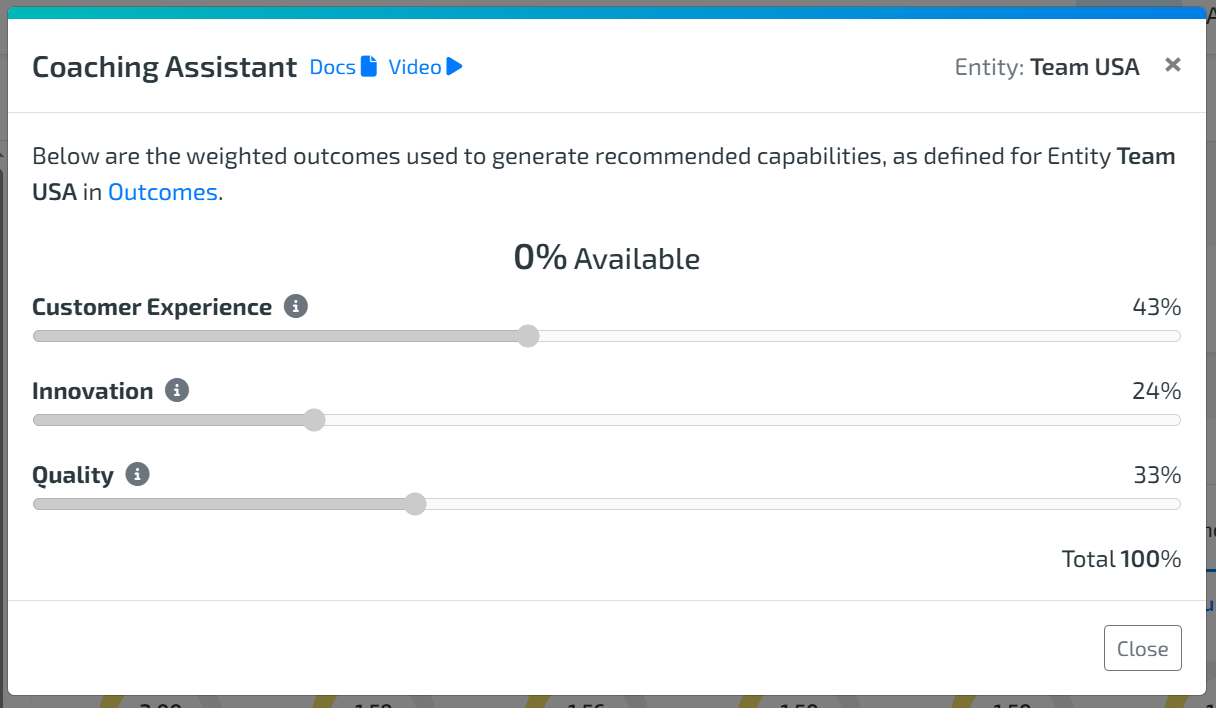
Click “Open Coaching Assistant” to view the weighted outcomes that are being used to generate the recommendations. The weighted outcomes used may be inherited from a parent Group or the Organization.
Alternatively, if no Weightings are defined, you will be able to define weightings right from the Coaching Assistant.
For more information on the Recommended Capabilities Widget, check out this documentation.
Tips for Best Use
Keep weightings updated: Revisit them regularly (e.g., each assessment cadence) as priorities evolve
Use recommendations proactively: Don’t wait—review and act on insights consistently
Align teams through weightings: Use admin-defined weightings to ensure everyone is working toward shared outcomes